AVID CERTIFICATION EXAM 1 | Actual questions and answers
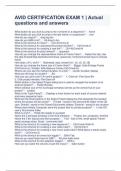
AVID CERTIFICATION EXAM 1 | Actual questions and answers What button do you click to jump to the 1st frame in a sequence? - home What button do you click to jump to the last frame in a sequence? - end How do you import? - drag top bin How do you AMA Link? - Alt-drag to bin What is the shortcut for Save? - Ctrl+S/Cmnd+S What is the shortcut for activating the project window? - Ctrl/Cmnd+9 What is the shortcut for creating a new bin? - Ctrl+N/Cmnd+N What is the shortcut for play forward? - spacebar How do you change the representative frame in Frame View? - Select the clip. Use the step forward/step backward shortcuts, space bar, home/end arrow keys to choose frame How does J-K-L work? - Backward, stop, forward (x1, x2, x3, x5, x8) How do you change the frame size in Frame View? - Bigger: EditEnlarge Frame (Ctrl/Cmnd+L), Smaller: EditReduce Frame (Ctrl/Cmnd+K) Where can you see the marked duration of a clip? - Center Duration display What are the keys for shuttle? - JKL How can you save a bin? An entire project? - 1. Click bin, FileSave Bin 2. Click project window, FileSave All Which button in the Select Project dialog box is used to navigate the location of an external project? - Folder Browse Which window (out of the 4 principal windows) serves as the central hub of your project? - project What is the Track Panel? - Displays a track button for each track of source material and every sequence track What are the three buttons in the Select Project dialog box that designate the location where the project will be saved? - Private - saved in the Documents folder of the OS user; Shared - saved in the Shared Documents folders; External - saved in any location Where does Media Composer store the project files for private projects? - In the OS user's Documents folder What is a bin? - Holds the assets in a project Name the 4 principal windows of the Avid interface. - Project, bin, composer, timeline Name the 3 bin layouts and their purpose. - Text - lots of info, small space; Frame - easily arrange shots; Script - comments field What is the shortcut for creating a new sequence? - Ctrl/Cmnd+Shift+N What is the shortcut for creating a new video track? - Ctrl/Cmnd+Y What is the shortcut for creating a new mono audio track? What about a stereo audio track? - Ctrl/Cmnd+U What is the shortcut for smart tool toggle? - Shift+Tab How do you reset fader level to 0dB? - Alt-click fader level What is the shortcut for link selection toggle? - Shift+L How can you lower the volume of just the music? - fader button Why is Overwrite mode well-suited for audio editing? - Audio tracks naturally have gaps of filler between segments What is digital audio scrub and how is it enabled? - Plays audio associated with each frame as you move the position indicator through the sequence. Hold Shift key while dragging; CAPS LOCK T or F. Splice-In never affects track/sequence duration. - false What are 2 ways to create a new sequence? - 1. Right-click in timeline and choose New Sequence. 2. Select clipNew Sequence What type of edit does Splice-In perform? - insert Name one method/shortcut to adjust the clip gain besides dragging the mini fader. - Click icons, then use up/down arrow keys What modifier keys allow you to snap to edit points in the timeline? - Ctrl - to snap the head of the moving segment to edit points; Ctrl+alt - to snap the tail of the moving segment to edit points What is an easy way to select segments in segment mode? - Lasso left to right What is the shortcut for entering/exiting trim mode? - u key How do you t
Written for
- Institution
- AVID CERTIFICATION
- Course
- AVID CERTIFICATION
Document information
- Uploaded on
- October 19, 2023
- Number of pages
- 2
- Written in
- 2023/2024
- Type
- Exam (elaborations)
- Contains
- Questions & answers
Subjects
-
avid certification exam 1 actual questions and a

Also available in package deal