CAT Module 1 Notes Maria Vougdis
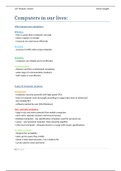
Computers in our lives:
Why humans use computers:
Efficiency
- time is saved when computers do tasks
- labour expense is cheaper
- resources are used more efficiently
Accuracy
- accuracy is 100% when using computers
Reliability
- computers are reliable and cost effective
Communication
- distance and time is eliminated completely
- wide range of communication mediums
- VoIP makes it cost effective
Types of Computer Systems:
Introduction
- computers must be powerful with high speed CPUs
- level of computer must be bought according to usage [entry level or advanced]
- size [mobile/PC]
- software wanted by user [IOS/Windows]
Non - portable computers
- large in size and more powerful than mobile computers
- each unit is separate [system unit/screen/mouse]
▫ desktop computers - low specification computers used for personal use
▫ server - very powerful computer, links networks together
▫ entry level computer - cheapest device in a range with lowest specifications
Portable computer
- designed for portability
- takes up less space thus mobile
- doesn’t need external power , has a battery life
- can be used for work and home
1|Page
, CAT Module 1 Notes Maria Vougdis
Description Comment
Laptop ▫ 12” - 13” screen size ▫ has similar specifications as high-end desktops
▫ small portable computer ▫ cost more as portable
Tablet ▫ large smartphone ▫ large screen and long battery life
▫ touch screen ▫ can’t make SMSs and calls
Hybrid ▫ reversible and detachable ▫ can be used as tablets or laptops
Computer laptops
▫ known as convertibles
Smartphon ▫ cellphone that includes ▫ has convergence of GPS , camera, games, radio
e operating system ▫ access to internet
▫ touch screen
Phablet ▫ smartphone with a screen ▫ can make calls , bigger than phone
bigger than 5”
Categories of users:
Personal users
- casual computer users
- do not depend on their computers for work
- complete tasks such as internet banking, social networking, and browsing web
SOHO users
- Small Office Home Office
- dependent on computer for working from home
- completes mainly administrative functions
- completes tasks such as accounts and billing, planning and scheduling and databases of clients
Power users
- needs top of the range hardware and software
- architects and engineers need specialized programs
- uses advanced functions
Mobile users
- need technology wherever they are
- mobile jobs need working from around the globe
- complete tasks such as taking notes, using email, recording meeting, videoconferencing
Convergence:
- different devices combined into one device
- combining multiple technologies into a single multipurpose device [NB]
- e.g. smartphone and tablet / smart TV
2|Page
Computers in our lives:
Why humans use computers:
Efficiency
- time is saved when computers do tasks
- labour expense is cheaper
- resources are used more efficiently
Accuracy
- accuracy is 100% when using computers
Reliability
- computers are reliable and cost effective
Communication
- distance and time is eliminated completely
- wide range of communication mediums
- VoIP makes it cost effective
Types of Computer Systems:
Introduction
- computers must be powerful with high speed CPUs
- level of computer must be bought according to usage [entry level or advanced]
- size [mobile/PC]
- software wanted by user [IOS/Windows]
Non - portable computers
- large in size and more powerful than mobile computers
- each unit is separate [system unit/screen/mouse]
▫ desktop computers - low specification computers used for personal use
▫ server - very powerful computer, links networks together
▫ entry level computer - cheapest device in a range with lowest specifications
Portable computer
- designed for portability
- takes up less space thus mobile
- doesn’t need external power , has a battery life
- can be used for work and home
1|Page
, CAT Module 1 Notes Maria Vougdis
Description Comment
Laptop ▫ 12” - 13” screen size ▫ has similar specifications as high-end desktops
▫ small portable computer ▫ cost more as portable
Tablet ▫ large smartphone ▫ large screen and long battery life
▫ touch screen ▫ can’t make SMSs and calls
Hybrid ▫ reversible and detachable ▫ can be used as tablets or laptops
Computer laptops
▫ known as convertibles
Smartphon ▫ cellphone that includes ▫ has convergence of GPS , camera, games, radio
e operating system ▫ access to internet
▫ touch screen
Phablet ▫ smartphone with a screen ▫ can make calls , bigger than phone
bigger than 5”
Categories of users:
Personal users
- casual computer users
- do not depend on their computers for work
- complete tasks such as internet banking, social networking, and browsing web
SOHO users
- Small Office Home Office
- dependent on computer for working from home
- completes mainly administrative functions
- completes tasks such as accounts and billing, planning and scheduling and databases of clients
Power users
- needs top of the range hardware and software
- architects and engineers need specialized programs
- uses advanced functions
Mobile users
- need technology wherever they are
- mobile jobs need working from around the globe
- complete tasks such as taking notes, using email, recording meeting, videoconferencing
Convergence:
- different devices combined into one device
- combining multiple technologies into a single multipurpose device [NB]
- e.g. smartphone and tablet / smart TV
2|Page