Gmetrix practice - Study guides, Class notes & Summaries

Looking for the best study guides, study notes and summaries about Gmetrix practice? On this page you'll find 176 study documents about Gmetrix practice.

Page 3 out of 176 results

Sort by:

ILLUSTRATOR GMETRIX PRACTICE SOLUTION 2026 QUESTIONS WITH ANSWERS GRADED A+
  • Exam (elaborations)

    ILLUSTRATOR GMETRIX PRACTICE SOLUTION 2026 QUESTIONS WITH ANSWERS GRADED A+

  • ILLUSTRATOR GMETRIX PRACTICE SOLUTION 2026 QUESTIONS WITH ANSWERS GRADED A+
  • FocusFile7
    $12.99 More Info
Gmetrix Practice Exam Questions And Answers Latest Update Graded A+
  • Exam (elaborations)

    Gmetrix Practice Exam Questions And Answers Latest Update Graded A+

  • Gmetrix Practice Exam Questions And Answers Latest Update Graded A+
  • Profmanasseh
    $12.99 More Info
Gmetrix Practice Exam 2 Questions With 100
  • Exam (elaborations)

    Gmetrix Practice Exam 2 Questions With 100

  • Gmetrix Practice Exam 2 Questions With 100
  • ExpertLia
    $12.99 More Info
Gmetrix Practice Exam 2 Questions And Correct Answers
  • Exam (elaborations)

    Gmetrix Practice Exam 2 Questions And Correct Answers

  • Gmetrix Practice Exam 2 Questions And Correct Answers...
  • Easton
    $10.49 More Info
GMETRIX ENTREPRENEURSHIP & SMALL BUSINESS PRACTICE EXAM 1 | 2025/26 UPDATED | QUESTIONS WITH ACCURATE SOLUTIONS.
  • Exam (elaborations)

    GMETRIX ENTREPRENEURSHIP & SMALL BUSINESS PRACTICE EXAM 1 | 2025/26 UPDATED | QUESTIONS WITH ACCURATE SOLUTIONS.

  • GMETRIX ENTREPRENEURSHIP & SMALL BUSINESS PRACTICE EXAM 1 | 2025/26 UPDATED | QUESTIONS WITH ACCURATE SOLUTIONS.
  • EvaTee
    $15.49 More Info
Gmetrix Practice Exam 2 (2025) ACTUAL EXAM comprehensive questions and verified accurate solution (Detailed & Elaborated)|get it 100% accurate!! 2025 TEST!!
  • Exam (elaborations)

    Gmetrix Practice Exam 2 (2025) ACTUAL EXAM comprehensive questions and verified accurate solution (Detailed & Elaborated)|get it 100% accurate!! 2025 TEST!!

  • Gmetrix Practice Exam 2 (2025) ACTUAL EXAM comprehensive questions and verified accurate solution (Detailed & Elaborated)|get it 100% accurate!! 2025 TEST!!
  • TutorGemini
    $21.49 More Info
GMetrix Practice Exam 1 Quizlet Questions & Answers
  • Exam (elaborations)

    GMetrix Practice Exam 1 Quizlet Questions & Answers

  • Copy the Normal style from N into 2019_WE_101_H. Overwrite the existing Normal style. - ANSWERSOn the Home tab, in the Styles group, click the dialog box launcher located in the lower-right corner of the group. At the bottom of the Styles pane, click the Manage Styles icon. In the lower-left corner of the Manage Styles pop-up window, click the Import/Export... button. In the Organizer pop-up window, ensure the Styles tab is selected. On the right, in the Normal pane, select Normal. Click the ...
  • Bestgrades2
    $12.39 More Info
ITS HTML and CSS Practice Exam 1 Testing - GMetrix | Latest 2025 UpdateWith Complete Solutions
  • Exam (elaborations)

    ITS HTML and CSS Practice Exam 1 Testing - GMetrix | Latest 2025 UpdateWith Complete Solutions

  • ITS HTML and CSS Practice Exam 1 Testing - GMetrix | Latest 2025 UpdateWith Complete Solutions
  • ElevatedExcellence
    $14.49 More Info
 GMETRIX PRACTICE EXAM 2 WITH VERIFIED ANSWERS GRADED A+
  • Exam (elaborations)

    GMETRIX PRACTICE EXAM 2 WITH VERIFIED ANSWERS GRADED A+

  • GMETRIX PRACTICE EXAM 2 WITH VERIFIED ANSWERS GRADED A+ 1. Project 1 task 1 1. Above the worksheet to the left of the formula bar, click the Name Box down arrow. 2. Select Appheading2. 3. Cell range E1:F3 should be selected. 4. Right-click on the selected cells and select Clear Con- tents. 5. Click OK. 2. On the Down- loads worksheet, adjust the height of row 27 to 78. 3. Apply the cell style Light Blue, 1. On the Downloads worksheet, click row 27 to select it. 2. On the Home tab,...
  • MERCYTRISHIA
    $13.49 More Info
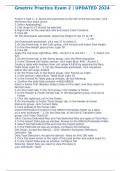
Gmetrix Practice Exam 2 | UPDATED 2024
  • Exam (elaborations)

    Gmetrix Practice Exam 2 | UPDATED 2024

  • Gmetrix Practice Exam 2 | UPDATED 2024 Project 1 task 1 - 1. Above the worksheet to the left of the formula bar, click the Name Box down arrow. 2. Select Appheading2. 3. Cell range E1:F3 should be selected. 4. Right-click on the selected cells and select Clear Contents. 5. Click OK.
  • smartgrades
    $8.49 More Info
As you read this, a fellow student has made another $4.70
How did he do that? By selling his study resources on Stuvia. Try it yourself!