Dynatrace Terminology 2023 Solved 100%
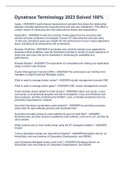
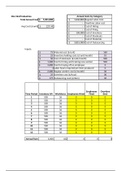
Apdex - ANSWER-A performance-measurement standard that shows the relationship between recorded performance measurements and real-user satisfaction. This offers a uniform means of measuring how well performance meets user expectations. Application - ANSWER-A web tool consists of web pages that are served by web servers and web containers, for example Tomcat. DT sees what the end user sees. In this way, Dynatrace gives you insight into the performance of your unique application stack, including all its components and connections. Browser ClickPath - ANSWER-A simulated user visit that monitors your application's business critical workflows. Use the Dynatrace recorder to record an exact sequence of clicks and user input that you're interested in monitoring for availability and performance. Browser Monitor - ANSWER-The equivalent of a simulated user visiting your application using a modern web browser. Cluster Management Console (CMC) - ANSWER-The web-based user interface that manages a single Dynatrace Managed cluster. What is used to manage cluster nodes? - ANSWER-cluster management console CMC What is used to manage active gates? - ANSWER-CMC cluster management console Crash analysis shows details for what dumps? - ANSWER-native core dump, a Java core dump, or an abnormal program exit due to exceptions. Linux and Windows core dump analysis, and files containing the DotNET, Java, or Nodejs exceptions that are potentially responsible for crashes. how does Dynatrace accelerates crash analysis? - ANSWER-by providing a process crash entry for each affected process and monitored host. Dynatrace provides access to crash artifacts for java for what files? - ANSWER-Dynatrace also provides access to additional crash artifacts, such as hs_err_pid files for Java crashes What contains one or more nodes setup using the DT managed installer? - ANSWER-Cluster To be a Dynatrace cluster you need what included? - ANSWER-Dynatrace Server, an ActiveGate, and one instance of Cassandra, Elasticsearch, and NGINX. each Dynatrace Managed cluster node runs? - ANSWER-Dynatrace Server, an ActiveGate, and one instance of Cassandra, Elasticsearch, and NGINX Cluster ActiveGate - ANSWER-A Dynatrace component that provides secure and reliable communication with cloud-based Dynatrace cluster nodes. Data center - ANSWER-• A grouping of virtual machines running in an Amazon cloud instance. Dynatrace maps Availability Zones to your data center. Data Center - ANSWER-A set of vCenter-based virtual hosts that transmit data to Dynatrace via a single ActiveGate. In SmartScape view if you have one activeGate installed how many datacenter will you see? - ANSWER-You will see one. One datacenter for each activegate installed Davis - ANSWER-The Dynatrace Artificial Virtual Intelligence System. Davis is used by what compatible device? - ANSWER-Alexa can be used for what DT system? Duration - ANSWER-The amount of time a synthetic monitor or synthetic action waits before the web application is ready to initiate another user action. Deep process monitoring - ANSWER-deep visibility into the performance of all the services that comprise your web application: web services, web containers, database requests, custom services, and more. Including time lapse data. Environment ActiveGate exists for what main reason? - ANSWER-is bound to your environment, and thus only handles traffic from OneAgent instances that belong to the same environment Can an environment activegate handle traffic from another environment activegate? - ANSWER-only handles traffic from OneAgent, not from other activegate Environment topology is a? and utilizes what DT function? - ANSWER-A Smartscape visualization of the hosts, processes, services, applications, and data centers in your Dynatrace monitoring environment and the relationships between those entities. How does smartscape discover nodes in the environment? - ANSWER-. With no manual configuration, Smartscape auto-discovers all the components and dependencies of your entire technology stack end-to-end and visualizes them in an easy to understand environment topology map. What is an Event according to DT? - ANSWER-A manual action performed on a server in your environment. Events are reported by Dynatrace and, where applicable, correlated with detected problems. an example of a DT Event? - ANSWER-Examples of events include machine reboots, system shutdowns, process restarts, and new code deployments. Any manual action you perform on a server is an event, even if it's a regularly scheduled event. External service - ANSWER-Any service called by your application or another service that isn't directly monitored by Dynatrace OneAgent how does DT handle performance data on external services? - ANSWER-Dynatrace doesn't however receive performance data related to external services. An exception to this rule is database services. variable for host unit hours? - ANSWER-A host with 16 GB of RAM (i.e., 1 host unit) running for a full day consumes 24 host unit hours. Host unit hours? - ANSWER-Represents the consumption of a host unit over a time period. 1 host unit hour equates to 1 host unit being consumed for 1 hour. For full details, see Licensing and pricing. Host unit full stack monitoring is a host with how many gb of RAM? - ANSWER-For full-stack monitoring, a host with 16 GB of RAM equates to 1 host unit. what is a host unit for cloud-infrastructure monitoring?a host with 16 GB of RAM equates to 0.3 of a host unit. - ANSWER-a host with 16 GB of RAM equates to 0.3 of a host unit. a host with memory size of 24 GB equates to how many full stack monitoring host units? - ANSWER-2 full stack monitoring host units As examples, a host with memory size of 24 GB is how many cloud-infrastructure monitoring host units? - ANSWER-0.6 cloud-infrastructure monitoring host units. Max. RAM Host units (Full stack) Host units (Cloud infrastructure) host unit formula? - ANSWER-n x 16 GB n n x 0.3 As examples, a host with memory size of 24 GB equates to 2.0 full-stack monitoring host units and 0.6 cloud-infrastructure monitoring host units. Max. RAM Host units (Full stack) Host units (Cloud infrastructure) Hyperlyzer - ANSWER-This Dynatrace multidimensional visual interface lets you analyze multiple dimensions of the top three findings of your application's usage. What allows you to see details on where your users are located, what browser versions they're using, their operating systems, and the number of different user actions your application has received? - ANSWER-hyperlyzer Key request are what types of requests? - ANSWER-are requests that are of particular interest in your web-application environment because they're a critical measure of the success of your business (for example, a login request or a shopping-cart checkout request), because they provide vital technical functionality that your application relies on, or because they involve complex calculations. what features long-term metric history and dedicated dashboard tiles for charting and direct access from your dashboard? - ANSWER-key requests Where are key requests found? - ANSWER-they are highlighted in the Key requests section of each service overview page. What is Log analytics according to Dynatrace? - ANSWER-The intelligent evaluation of data-logging records that are produced by network devices, operating systems, applications, and other intelligent or programmable devices. What type of process do Dynatrace Log analytics provide? - ANSWER-Dynatrace log analytics provides direct access to the log content of all your system's mission-critical processes and enables you to quickly search for specific log messages. How does Dynatrace Atrificial intelligence help with researching log messages? - ANSWER-automatically correlates relevant log messages with any problems that are detected in your environment. Merged services monitoring - ANSWER-Monitoring of data from services of the same type and the same process group. A ____________ ____________ ____________ is a service that aggregates multiple web-request services of the same process group that perform identical functions across separate cluster nodes. ____________ ____________ is available only for web-request services that perform the same function within the same process group, and so are effectively identical from a performance-monitoring perspective. A merged service appears in Dynatrace as a single service that contains all the data of all aggregated services. Say you have an Apache web server with several virtual host definitions (for example, , , and ). From the Apache perspective, these are independent virtual hosts. Therefore Dynatrace detects them as separate services. For your monitoring purposes however, you might want to view these services as a single merged service called Dynatrace web page. To take the guess work out of knowing which of your services are eligible for service merging, Dynatrace automatically identifies mergable services for you and displays them on the Merged service monitoring page (Settings Server-side service monitoring Merged service monitoring). Only services included in this list can be merged. Monitoring candidate - ANSWER-A host (either a VMware virtual machine or an EC2 instance) that communicates with monitored hosts in your environment, but doesn't itself have Dynatrace OneAgent installed on it. It's recommended that you install Dynatrace OneAgent on all ____________ ____________ to gain full visibility and complete monitoring capabilities. In Smartscape, a candidate is visualized with dashed circles and a generic host icon. Candidates are shown linked to relevant data centers. Each ____________ ____________ is also listed on the Hosts page, within the Unmonitored category. Any inactive ____________ ____________ (those that haven't communicated with a host for more than two hours) aren't included in Smartscape or listed on the Hosts page. Mission Control - ANSWER-The proactive support for Dynatrace Managed that automatically solves many common maintenance and support challenges for you. ____________ ____________ proactive support provides fully automated management capabilities that keep Dynatrace Server secure, reliable, and up-to-date—all while saving you from administrative tasks like upgrades and troubleshooting. A dedicated 24x7 support team proactively handles health checks, scaling verification, upgrades, and any troubleshooting when you run into problems. This includes: • Analyzing hardware utilization and alerting you if you need more resources. • Addressing problems or incompatibilities with your Dynatrace Server—so you don't need to track and react to system events. • Optimizing your Dynatrace Managed settings to ensure optimum performance and stability. • Collecting the required log files for problem resolution. See How does ____________ ____________ pro-active support work? for more information Monitoring environment - ANSWER-Includes all the dashboards, charts, reports, and other tools that Dynatrace makes available for the analysis of your application or applications. A ____________ ____________ is analogous to an analysis server that provides all your Dynatrace application-performance analysis functionality. You can set up multiple ____________ ____________ to group related entities for discrete analysis. For example, you might set up one ____________ ____________ to monitor and analyze the performance of your production clusters. You might set up a second environment that's dedicated to the performance of your developers' machines and a third environment for your staging servers. How you segment your ____________ ____________ is entirely up to you. Multi-dimensional baselining - ANSWER-There are a number of variables (or dimensions) that affect application performance—most notably, geographic region, OS, browser, connection type, and user action. These are the five dimensions that Dynatrace uses to evaluate application health. Each subset of cohorts is subject to a unique set of these variables so Dynatrace measures the health of and reports on each of these user subsets separately. OneAgent - ANSWER-Dynatrace ____________ monitors the performance of the hosts in your application-deployment environment, along with all related processes. Based on your environment settings, Dynatrace ____________ enables detailed performance monitoring and real user monitoring of your applications and their services. Changes to your applications, as well as infrastructure and performance problems, are reported to Dynatrace for performance monitoring.
Escuela, estudio y materia
- Institución
- Dynatrace Terminology 2023
- Grado
- Dynatrace Terminology 2023
Información del documento
- Subido en
- 20 de marzo de 2023
- Número de páginas
- 13
- Escrito en
- 2022/2023
- Tipo
- Examen
- Contiene
- Preguntas y respuestas
Temas
-
dynatrace terminology
-
apdex
-
application
-
browser clickpath
-
browser monitor
-
dynatrace terminology 2023 solved 100

Documento también disponible en un lote