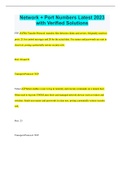
Network + Port Numbers Latest 2023 with Verified Solutions
Network + Port Numbers Latest 2023 with Verified Solutions FTP File Transfer Protocol: transfers files between clients and servers. Originally used two ports: 21 for control messages and 20 for the actual data. Use names and passwords are sent in clear text, posing a potentially serious security risk. Port: 20 and 21 Transport Protocol: TCP Telnet Telnet enables a user to log in remotely and execute commands on a remote host. Often used to log into UNIX/Linux hosts and managed network devices such as routers and switches. Sends user names and passwords in clear text, posing a potentially serious security risk. Port: 23 Transport Protocol: TCP SSH Secure Shell, a secure replacement for Telnet, encrypts both login information and data sent over the connection. Port: 22 Transport Protocol: TCP SCP Secure Copy uses the encryption provided by SSH to transfer files securely between hosts. Use SCP instead of FTP when available. Port: 22 Transport Protocol: TCP DNS Domain Name System maps computer names to IP addresses. TCP 53 is used for DNS zone transfers, whereas UDP 53 is used for DNS queries and replies. Port: 53 Transport Protocol: TCP and UDP DHCP Dynamic Host Configuration Protocol is used to assign IP addresses automatically to clients on the network. The connectionless DHCP uses UDP port 67 for sending data to the server and UDP port 68 for sending data to the client. DHCP replaced an earlier protocol called BOOTP that functioned similarly. Port: 67 and 68 Transport Protocol: UDP TFTP Trivial File Transfer Protocol transfers files between servers and clients without requiring any user login. Most commonly used for downloading operating systems and configuration files to systems with no local hard disk (for example, diskless workstations and routers). Port: 69 Transport Protocol: UDP HTTP Web servers use the Hypertext Transfer Protocol to accept connections from and to send data to web browsers such as Google Chrome, Internet Explorer, and Mozilla Firefox. Port: 80 Transport Protocol: TCP SMTP Simple Mail Transfer Protocol sends e-mail messages between mail servers. Mail clients also use SMTP to send outgoing e-mail to a mail server. Port: 25 Transport Protocol: TCP POP3 E-mail clients (such as Microsoft Outlook) use Post Office Protocol version 3 to retrieve e-mail from mail servers. Port: 110 Transport Protocol: TCP IMAP 4 E-mail clients use Internet Message Access Protocol version 4 to access e-mail messages while leaving the messages themselves stored on the server. Port: 143 Transport Protocol: TCP NNTP Network News Transfer Protocol transfers Usenet newsgroup messages between servers and between clients and servers. Port: 119 Transport Protocol: UDP NTP Network Time Protocol is used to synchronize the time on TCP/IP hosts. Port: 123 Transport Protocol: UDP NetBIOS Used to support functions such as Microsoft File and Print Sharing over TCP/IP networks. Port: 137, 138, 139 Transport Protocol: TCP SNMP v2/v3 Simple Network Management Protocol enables network management applications to monitor network devices remotely. Port: 161 Transport Protocol: UDP LDAP Clients use the Lightweight Directory Access Protocol to search and update information in directories over a TCP/IP network. Directory services such as Microsoft's Active Directory can be accessed using LDAP. Port: 389 Transport Protocol: TCP Raw SMB When NetBIOS support is disabled, Microsoft File and Print Sharing uses port 445. Port: 445 Transport Protocol: TCP IGMP Clients use Internet Group Multicast Protocol to register as members of a multicast group. IGMP is popular with streaming video or gaming applications, for which the same data needs to be delivered to a group of systems at one time. This is far more efficient than sending many separate unicast messages. Port: 463 Transport Protocol: UDP LPR The Line Printer protocol is used to communicate between the LPR client and the LPD (Line Printer Daemon) server. Typically used for printing using UNIX/Linux systems (and found as wrong answers in the CompTIA exam). Port: 515 Transport Protocol: TCP
Escuela, estudio y materia
- Institución
- Network + Port Numbers
- Grado
- Network + Port Numbers
Información del documento
- Subido en
- 13 de marzo de 2023
- Número de páginas
- 8
- Escrito en
- 2022/2023
- Tipo
- Examen
- Contiene
- Preguntas y respuestas
Temas
-
network port numbers latest 2023 with verified solutions
-
ftp file transfer protocol transfers files between clients and servers originally used two ports 21 for control messages and 20 for the ac

Documento también disponible en un lote