DT EXAM With 100% Correct Answers Rated A
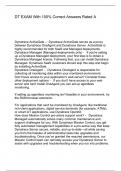
Dynatrace ActiveGate - Dynatrace ActiveGate serves as a proxy between Dynatrace OneAgent and Dynatrace Server. ActiveGate is highly recommended for both SaaS and Managed deployments. Dynatrace Managed (Managed deployments only) - If you're setting up a Dynatrace Managed deployment, your first step is to obtain a Dynatrace Managed license. Following that, you can install Dynatrace Managed. Dynatrace SaaS customers should skip this step and begin by installing ActiveGate. Dynatrace OneAgent - Dynatrace OneAgent is responsible for collecting all monitoring data within your monitored environment. Don't have access to your application's web server? Consider these other deployment options - If you don't have access to your web server and can't install OneAgent you can set up agentless monitoring. If setting up agentless monitoring isn't feasible in your environment, try the RUM browser extension. For applications that can't be monitored by OneAgent, like traditional rich-client applications, digital service terminals (for example, ATMs), or smart IoT applications, use Dynatrace OpenKit. How does Mission Control pro-active support work? - Dynatrace Managed automatically solves many common maintenance and support challenges for you. With Dynatrace Mission Control, you get fully automated management capabilities in a pro-active way that keep Dynatrace Server secure, reliable, and up-to-date—all while saving you from the hassles of administrative tasks like upgrades and troubleshooting. Once you've granted the required permissions, our Mission Control team can remotely access your Dynatrace Server to assist with upgrades and troubleshooting when you run into problems. How Mission Control works - To facilitate pro-active support, your Dynatrace Server transmits status information to and from Dynatrace Mission Control. The only data that our Mission Control team can access comes from the server component of your Dynatrace Managed installation. At no time can our Mission Control team access your operating system or file system. Our goal is to provide the highest possible system uptime ( 98%) and processing rate ( 99.5%) for collected monitoring data. What Mission Control does - Dynatrace Mission Control is responsible for sending Usage and billing information Dynatrace Server health statistics Once permission is granted, our Mission Control team can remotely analyze the hardware utilization of your Dynatrace Managed installation and alert you if more resources are required. Dynatrace Server event tracking Events like server starts/shutdowns, added/removed nodes, and ActiveGate registrations are tracked automatically. Our Mission Control team can remotely analyze and address problems or incompatibilities with your Dynatrace Server, so you don't need to track and react to system events. If you should ever need to contact Dynatrace Support, you won't need to collect the required log files for problem details—Mission Control gathers this data for your automatically. To see the list of Dynatrace Server system events that are automatically logged, click the Events tile on your Dynatrace Managed home page. System settings Our Mission Control team can remotely optimize your Dynatrace Managed settings to ensure optimum performance and stability. Software updates
Geschreven voor
- Instelling
- DT.
- Vak
- DT.
Documentinformatie
- Geüpload op
- 22 december 2023
- Aantal pagina's
- 38
- Geschreven in
- 2023/2024
- Type
- Tentamen (uitwerkingen)
- Bevat
- Vragen en antwoorden
Onderwerpen
-
dynatrace activegate dynatrace activegate ser

Ook beschikbaar in voordeelbundel