Relativity One Certified Pro - Exam Items Rated A+
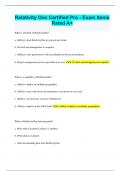
Relativity One Certified Pro - Exam Items Rated A+ What is a benefit of RelativityOne? a. Ability to host RelativityOne in your private cloud. b. No back end management is required. c. Ability to sync permissions with your Relativity Server environment. d. Project management services provided at no cost. b. No back end management is required. What is a capability of RelativityOne? a. Ability to deploy in multiple geographies. b. Ability to sync with server environments to cut down on user costs. c. Ability to run previous versions of Relativity. d. Ability to deploy in the AWS cloud. a. Ability to deploy in multiple geographies. When is RelativityOne data encrypted? a. Only when Customer Lockbox is enabled. b. When data is in transit. c. After downloading data from RelativityOne. d. Before loading data into RelativityOne. b. When data is in transit. What counts towards billable data in RelativityOne? a. SQL Database. b. Native files. c. Search Indexes. d. Relativity Objects. b. Native files. What can you do in the RelativityOne mobile app? a. Add and edit users. b. Create workspaces. c. Create saved searches. d. Add choices on the fly a. Add and edit users. When do changes made in the RelativityOne mobile app appear in RelativityOne? a. Instantly. b. After 5 minutes. c. After 60 minutes. d. When an admin syncs to the workspace. a. Instantly. What is a benefit of the RelativityOne mobile app? a. You can create an Automated Workflow. b. Your documents never leave the RelativityOne platform. c. You can sync with other eDiscovery platforms. d. You can process data on the fly. b. Your documents never leave the RelativityOne platform. What is the default index type for searching extracted text in RelativityOne? a. Keyword b. dtSearch c. Alphabet d. Lucene In what RelativityOne environment can you test API-based applications? a. Sandbox b. Preview c. Utility server d. Staging a. Sandbox What can you do in a sandbox environment? a. Test performance of custom applications. b. Test Active Directory integrations. c. Use Relativity's back-end APIs. d. Create custom upgrade schedules. a. Test performance of custom applications. Where can you create PDFs of multiple documents
Written for
- Institution
- Relativity One Certified Pro -
- Course
- Relativity One Certified Pro -
Document information
- Uploaded on
- May 21, 2024
- Number of pages
- 28
- Written in
- 2023/2024
- Type
- Exam (elaborations)
- Contains
- Questions & answers
Subjects
-
relativity one certified pro exam items rated a

Document also available in package deal